
Tracking, reports and dashcam clips — on WhatsApp.
What your clients can ask for.
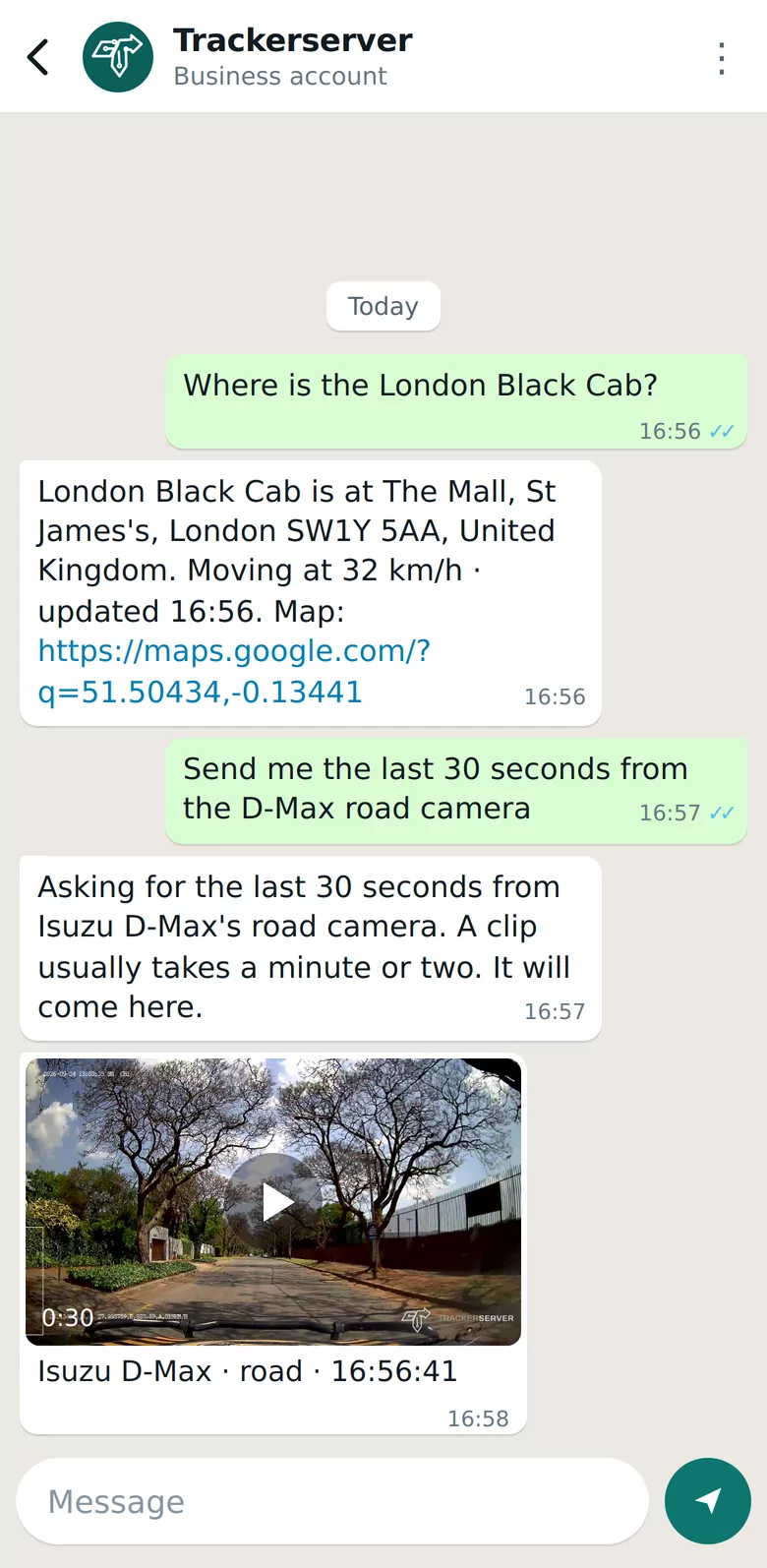
A vehicle's location
The address, moving or parked, when it last reported, and a map link.
Reports as PDFs
Trips, stops, mileage and the rest of the report suite, built and sent to the chat as a PDF.
Dashcam footage
A photo now, the last 30 seconds, or the clip of a moment they name — from the road or cabin camera.
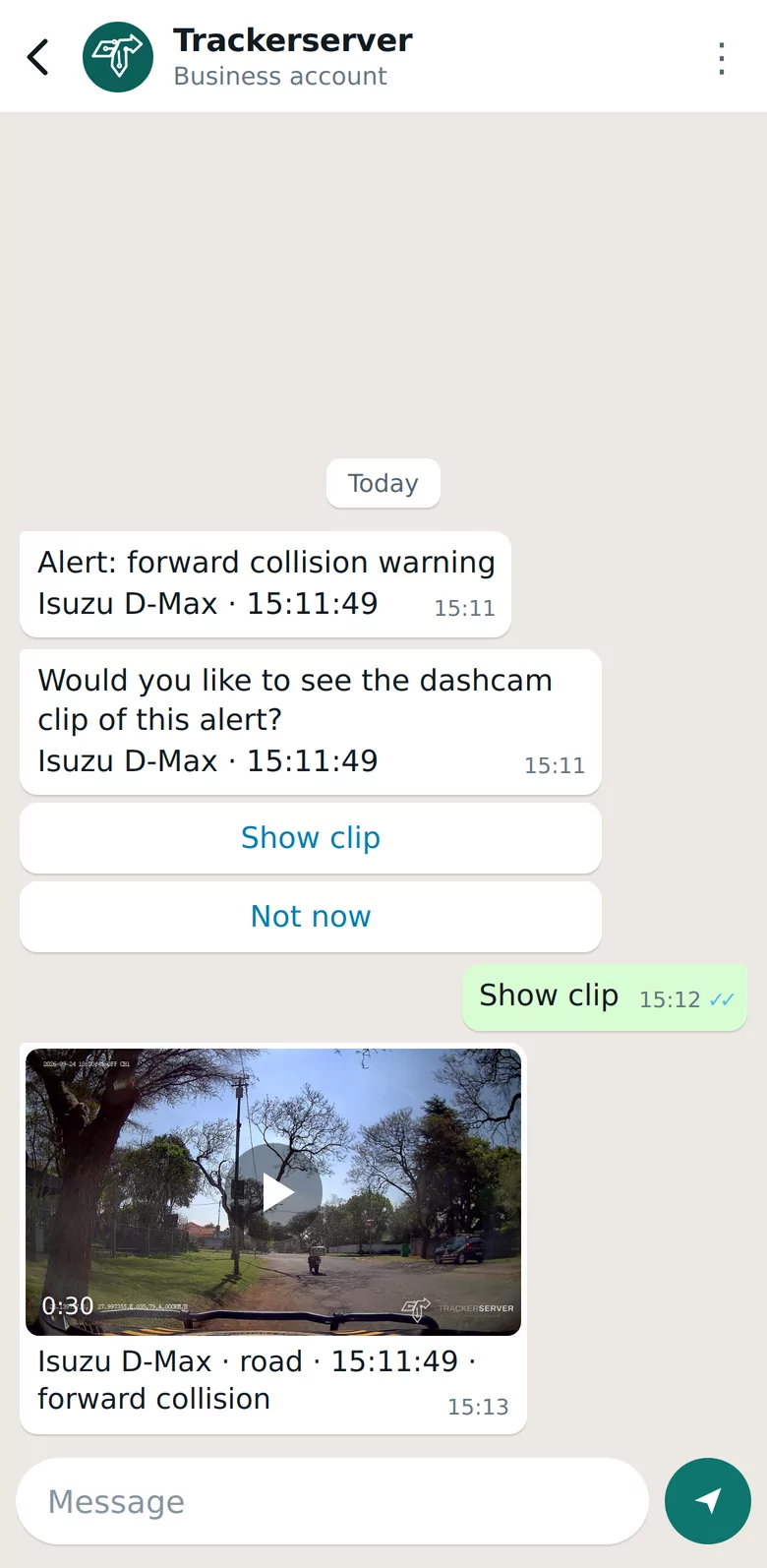
The clip of an alarm
A dashcam alarm on WhatsApp is followed by an offer of its clip: “Show clip” brings it, “Not now” leaves it.
Support and billing
Open a support ticket, follow one, or check the account's billing from the same chat.
Driver sign-in
Drivers identify themselves by WhatsApp, so trips and alerts carry the right name.
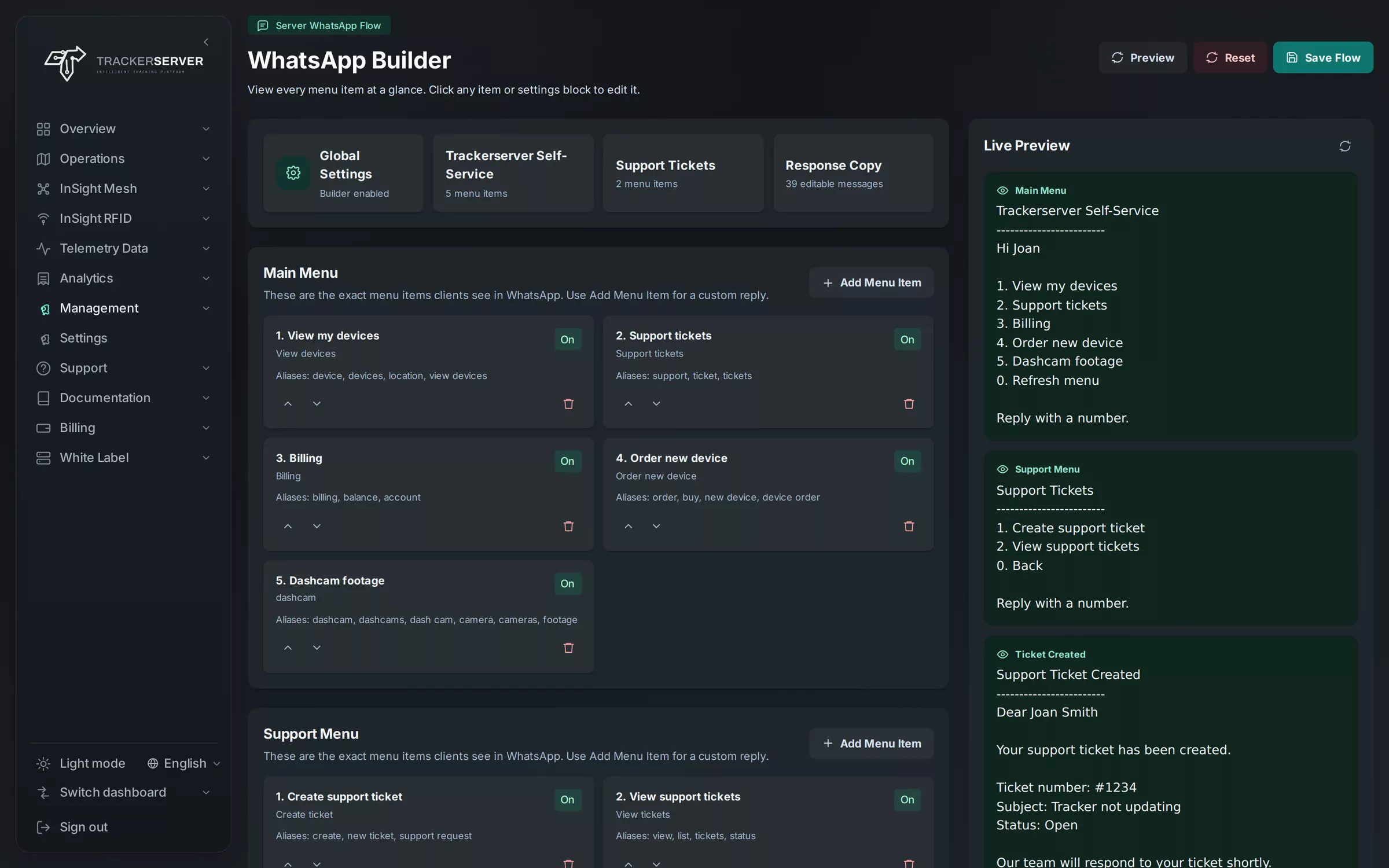
A menu you design.
The WhatsApp builder sets the menu your clients see: the main menu, the support options, the ticket types and every reply, with a live preview beside it. The assistant answers anything that is not on the menu.
Only their own account.
- A number is linked to its account before it gets any answer
- Answers and footage come only from that account's vehicles
- Files are sent through short-lived signed links
- The assistant runs on the platform's own servers, not an outside AI service
Works with
Launch your own tracking brand.
A dedicated server with every module, your logo, domain and emails — usually live within 24 hours.