
Dashcams that show what happened, and where.
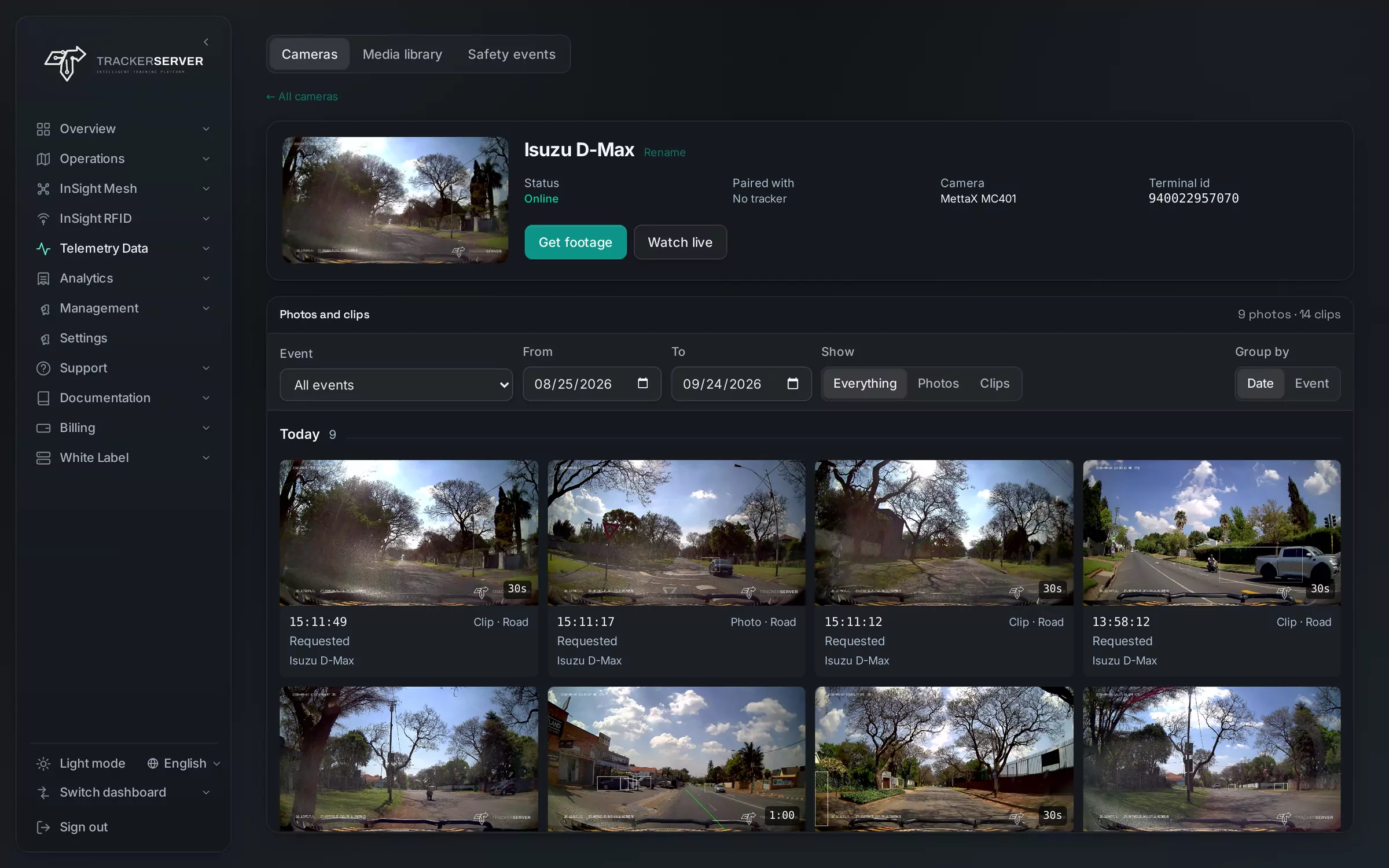
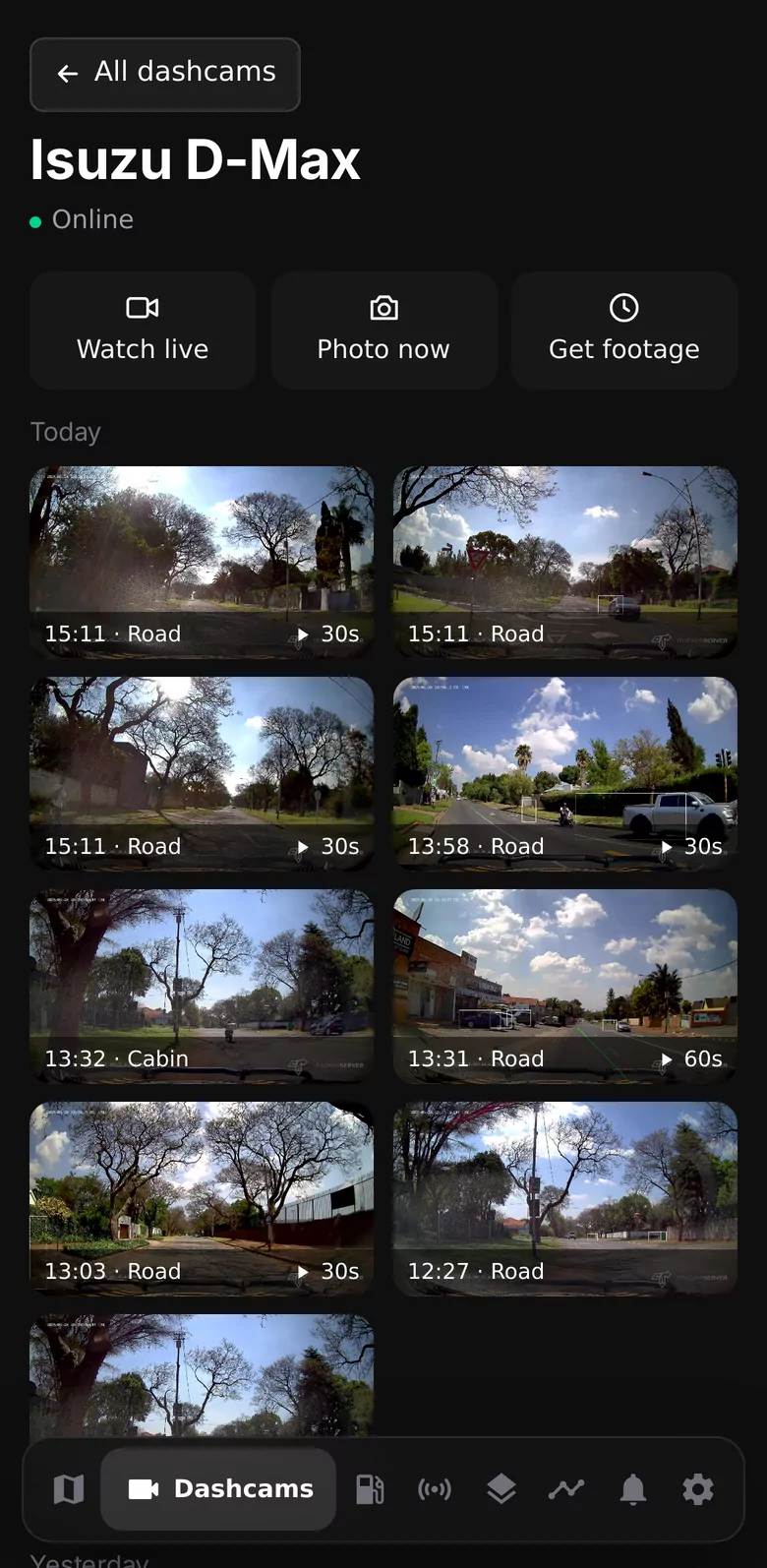
Everything a camera sees, in one place.
Footage on request
A photo now, or the footage of any moment you choose from the camera's own card — it arrives in the media library.
Clips with the route
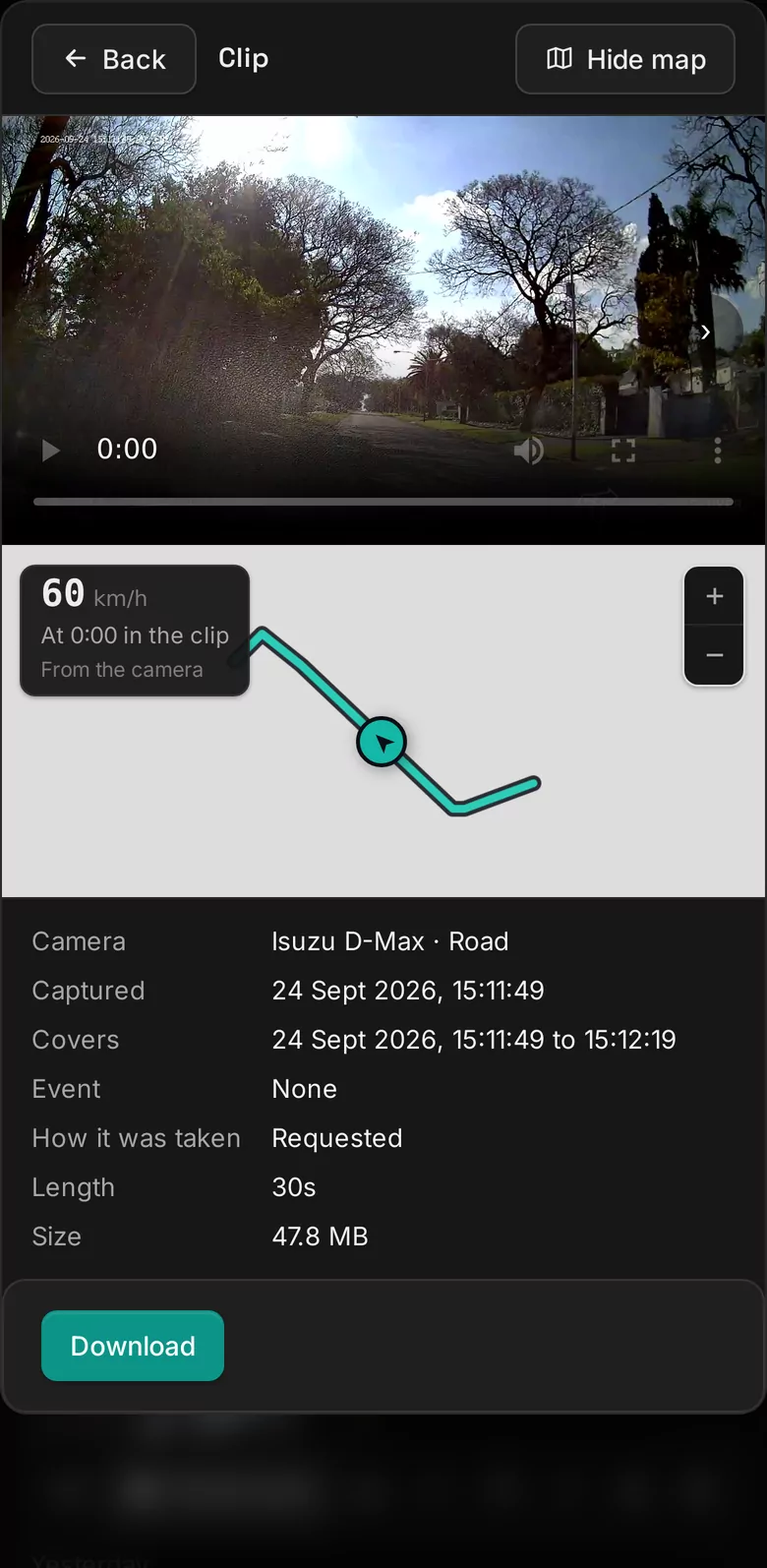
Every clip plays beside a map of the vehicle's route, with its speed at each second of the footage.
Alarm clips
Forward-collision, headway, lane, fatigue, phone-use and distraction alarms bring back their own footage, with where it happened. Pair the camera with the vehicle's tracker and the tracker's events do too.
Offered on WhatsApp
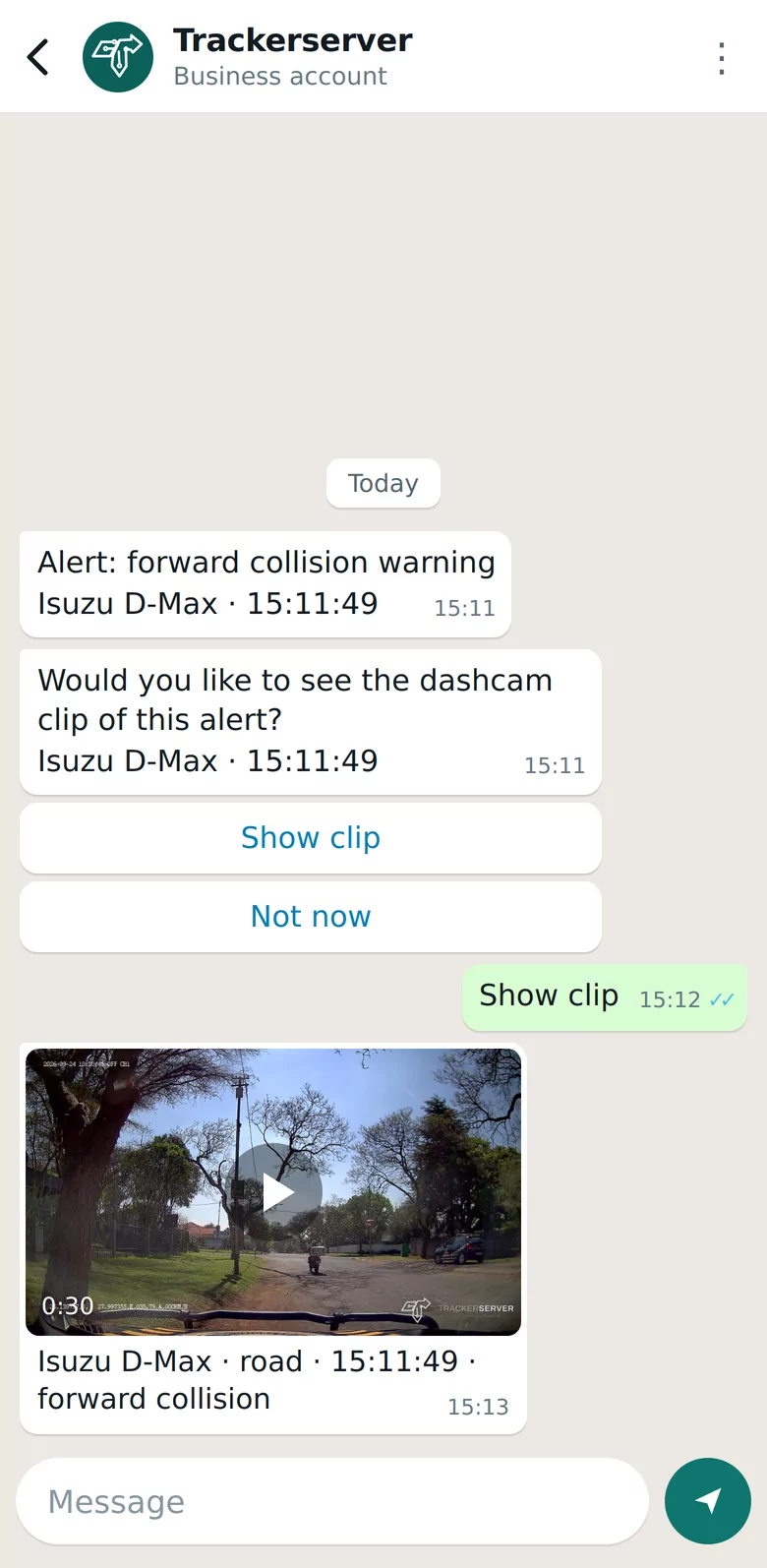
When an alarm alert goes out on WhatsApp, a clip offer follows it. One reply brings the footage.
Live, listen and talk
Watch live with the vehicle on the map, hear the cabin and speak to the driver through the camera.
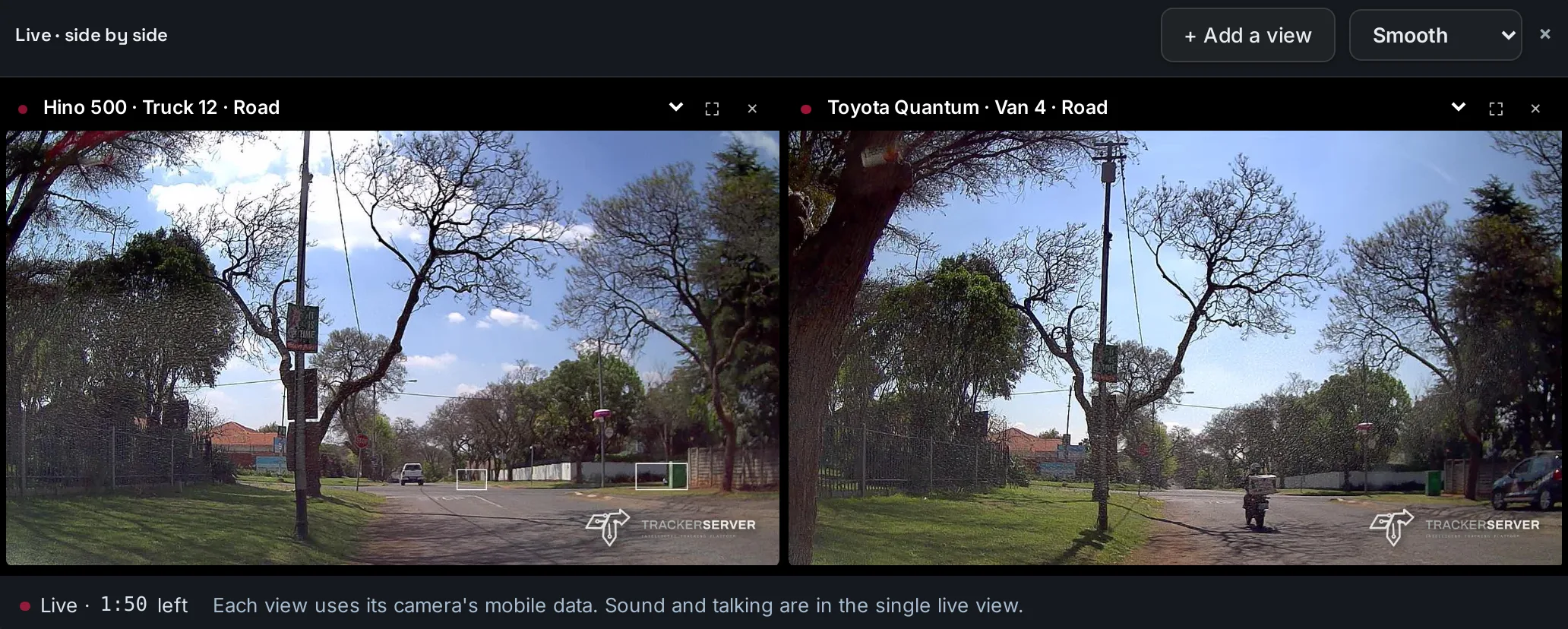
Side by side
Up to four live views in one window — a vehicle's road and cabin cameras, or the cameras of several vehicles.
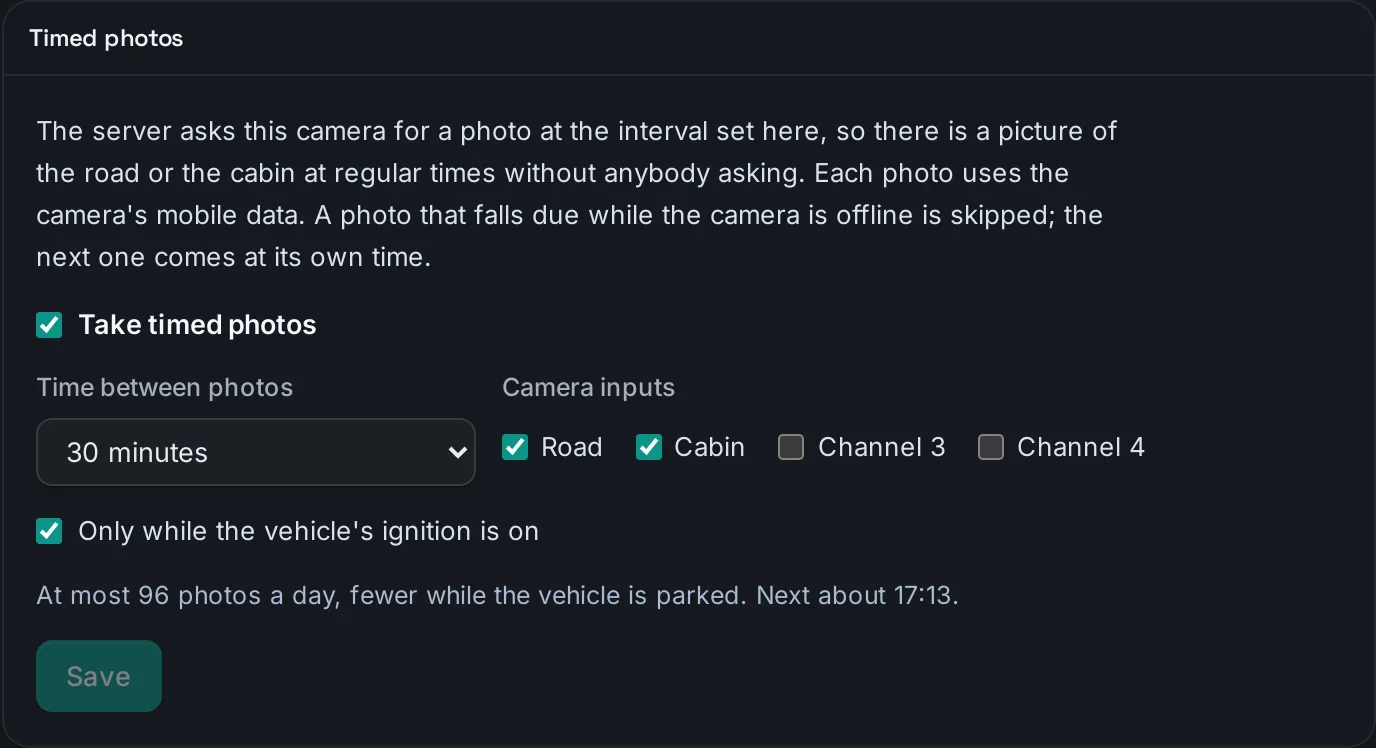
Timed photos
A photo from the road or cabin camera at regular times, from every 5 minutes to once a day, without anyone asking.
Your logo on every clip
Photos and clips carry your platform's logo, burned into the picture, so footage that leaves the platform still says where it came from.
Safety events to review
Every alarm in one list, reviewed one at a time or in bulk, with the footage beside it.
Several cameras, one window.
Choose Road and cabin in a camera's live view and both play side by side. Add views from other vehicles' cameras, up to four at once.
Live video runs on each camera's mobile data, so one countdown closes every view by itself, and Keep watching extends them all.
A picture at regular times.
Set a camera to take a photo from the road camera, the cabin camera or both — every 5 minutes, every hour, once a day, or anything between — and only while the ignition is on, if you choose. Each photo lands in the media library with the rest of the camera's footage.
- The most photos it can take in a day, shown before you save
- A photo due while the camera is offline is skipped, not queued
- Set for each camera
The clip, the map and the speed, together.
Open a clip and the vehicle's route for those seconds is drawn beside it. The marker moves with the video and the speed at that second is shown on the map — so what the camera saw has a place and a speed.
- On the portal and in the fleet app
- Download to share, with your logo on it
- Every photo and clip in one media library
Reports and alerts, like every other part of the fleet.
Camera safety, media and summary reports sit in the report suite, and dashcam alarms are alert rules — delivered on WhatsApp, Telegram or email like every other alert.
- Camera safety and media reports
- Dashcam alarms as alert rules
- Alarm clips offered on WhatsApp
- A wide range of AI dashcam models
Works with
Premium tracking software, under your own brand.
Offered by application: a dedicated server with every module, your logo, domain and emails.